> For the complete documentation index, see [llms.txt](https://docs.yudash.com/llms.txt). Markdown versions of documentation pages are available by appending `.md` to page URLs; this page is available as [Markdown](https://docs.yudash.com/dc/df/modbus-tcp-ip.md).
# Modbus TCP/IP
YuDash LYNX supports Modbus TCP/IP to read various PLC/HMIs through ethernet. In principle, following are the pre-requesites for using Modbus TCP/IP:
1. Valid Ethernet settings of YuDash LYNX for communication over TCP/IP.
2. LYNX is Modbus Client, who request the data. The given PLC is Modbus server, who will provide the data. LYNX can read multiple Modbus TCP/IP servers.
3. Following details of a given Modbus Server (PLC) are required for communication:
* **IP address** of PLC. For example: ***192.168.1.100***
* **IP Port** on which Modbus server is running. For example: ***502*** (standard port). Or ***8888*** (any port being used by PLC)
* **Modbus Server ID** as per protocol. For example: ***1*** (The Server ID of Modbus is similar to slave ID of Modbus RS-485)
* **Modbus Registers and Data Types** The mapping of registers and selection procedure is similar to Modbus RS-485
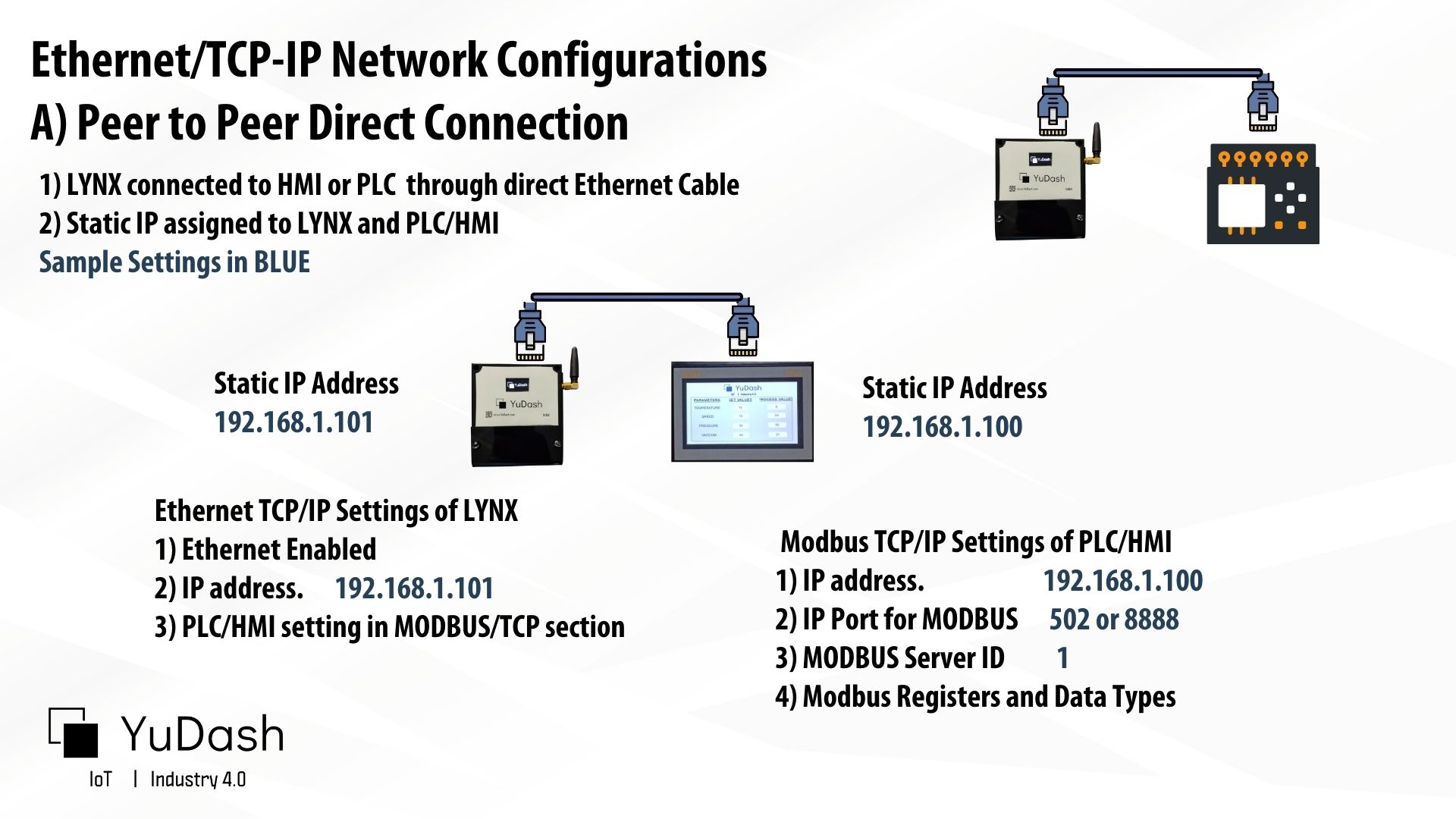
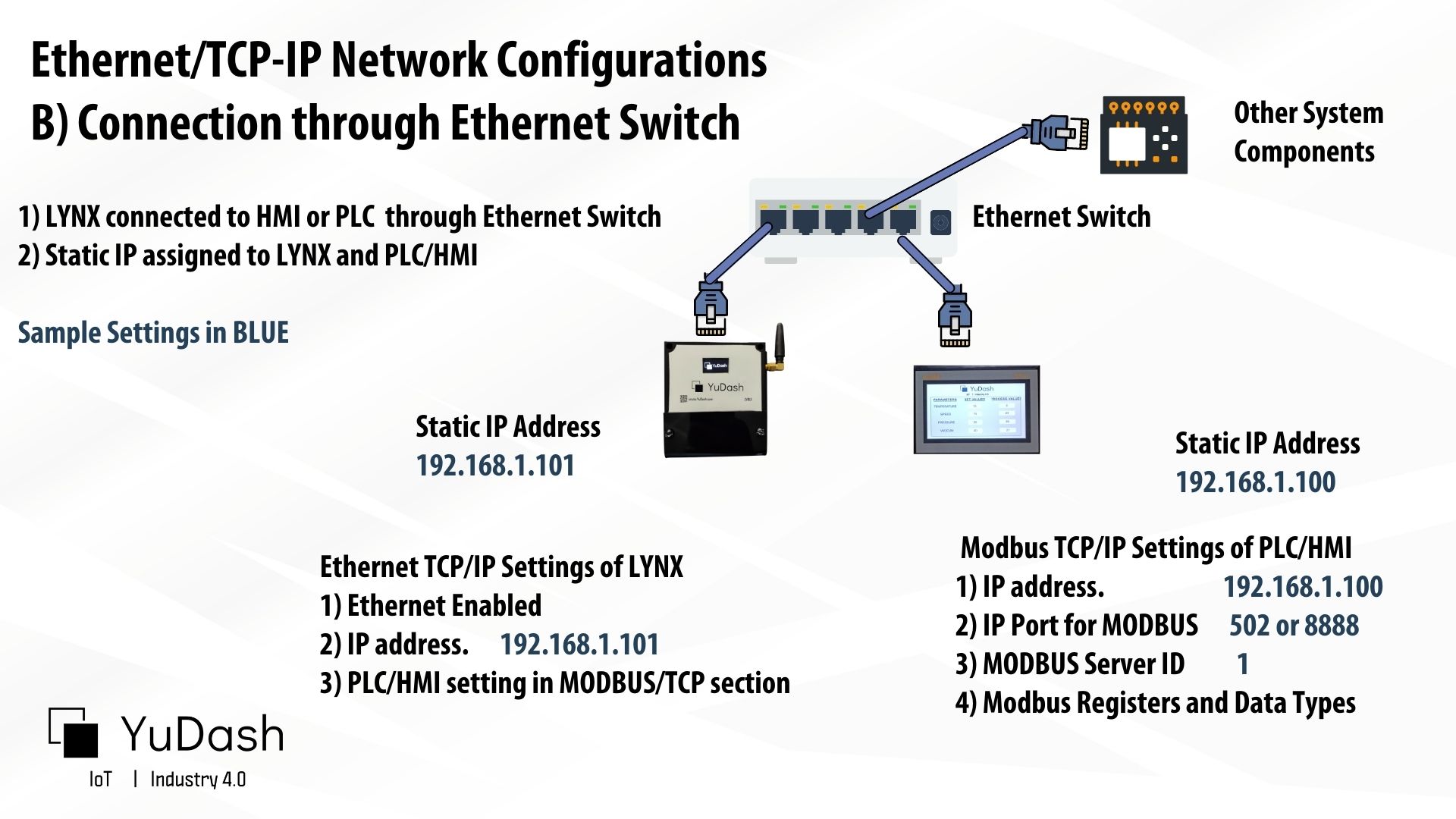
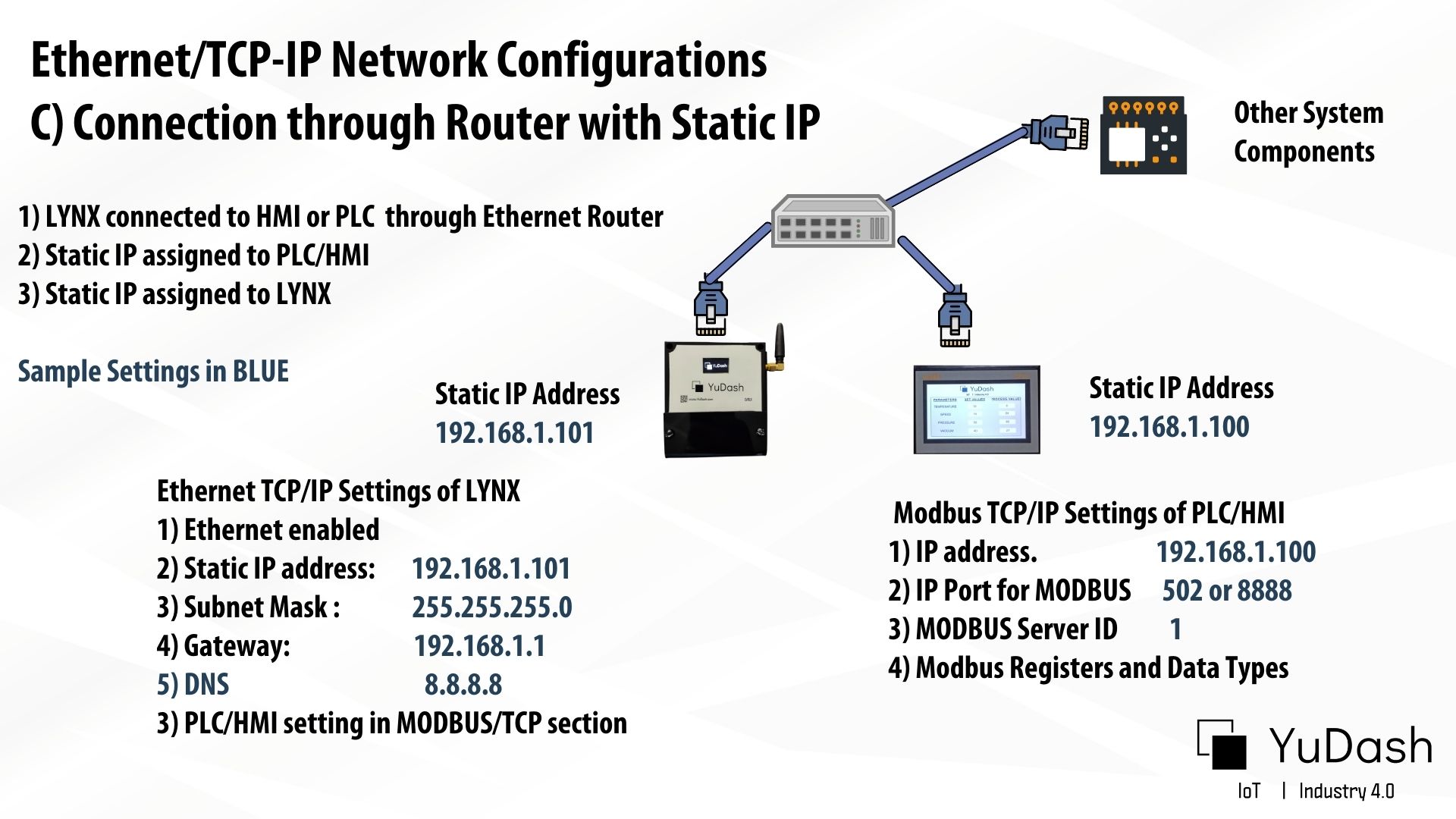
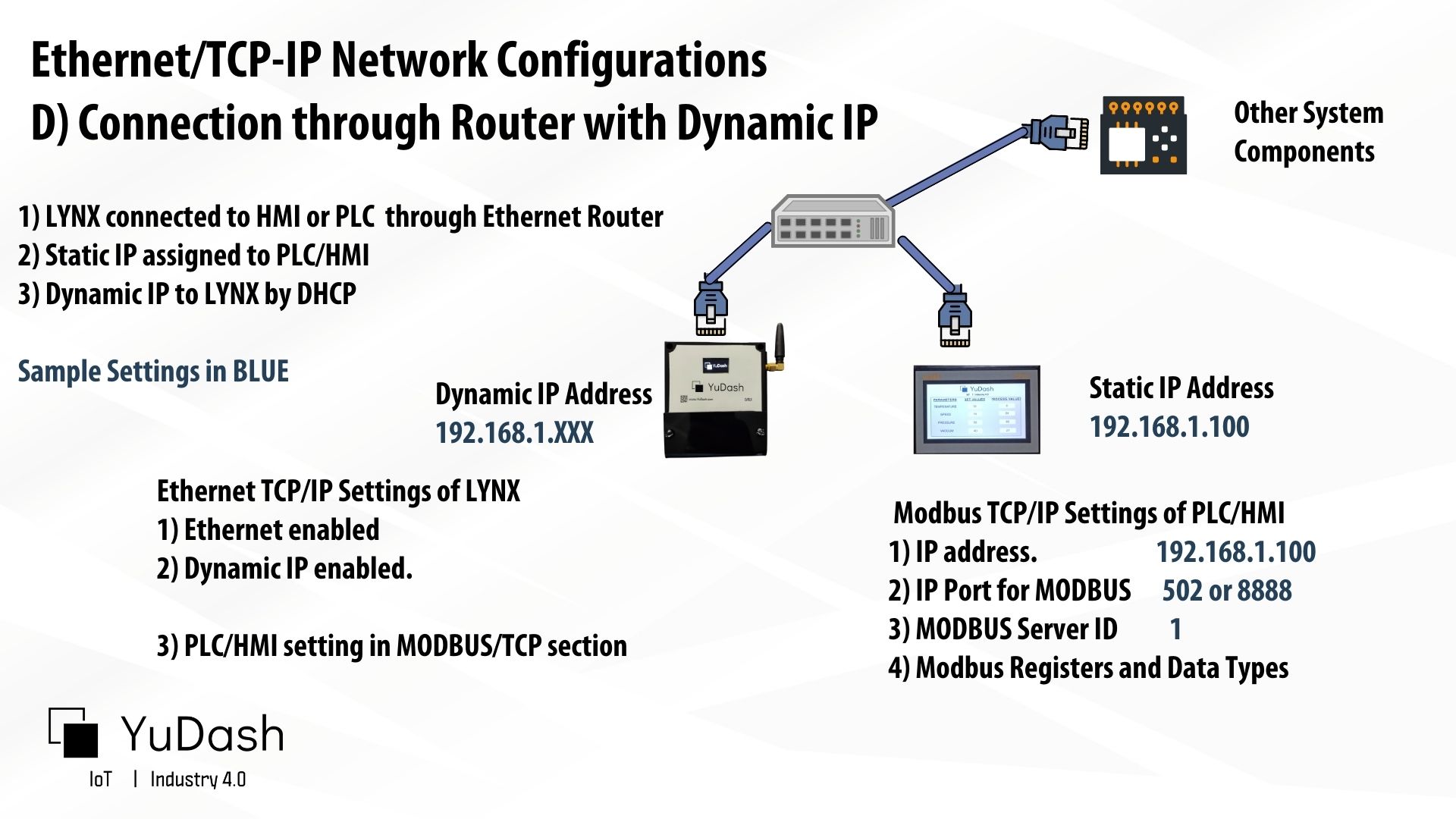
There are different network topology possible for interfacing PLC/HMI with LYNX using Modbus TCP/IP. For example:
#### A) Peer to Peer Direct Connection
#### B) Through Ethernet Switch
#### C) Through LAN Router with Static IP
#### D) Through LAN Router with Dynamic IP
All the scenarios of Modbus TCP/IP are covered in the video below.
{% embed url="" %}